Lockup
Overview
The Lockup section allows you to create and manage separate lockups for other recipients using your treasury funds.
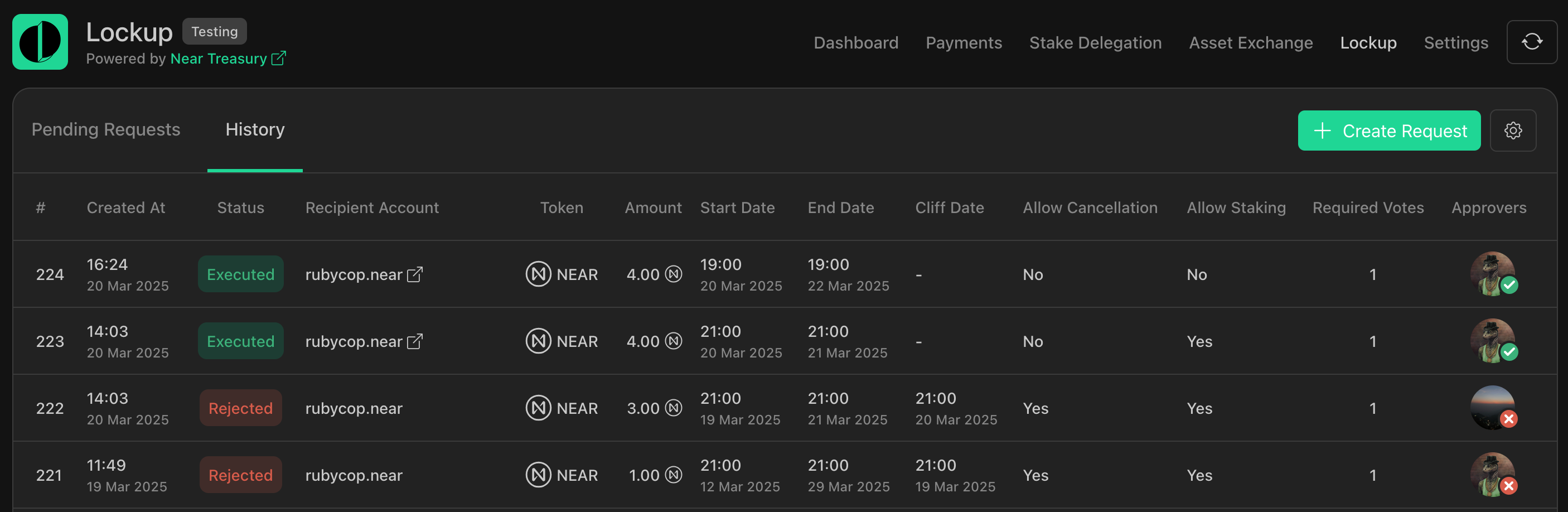
Here you can view pending lockup requests, their history, and create new requests.
info
To enable the Lockup feature for your Treasury, please contact our support team.
Available actions:
Lockup Tokens
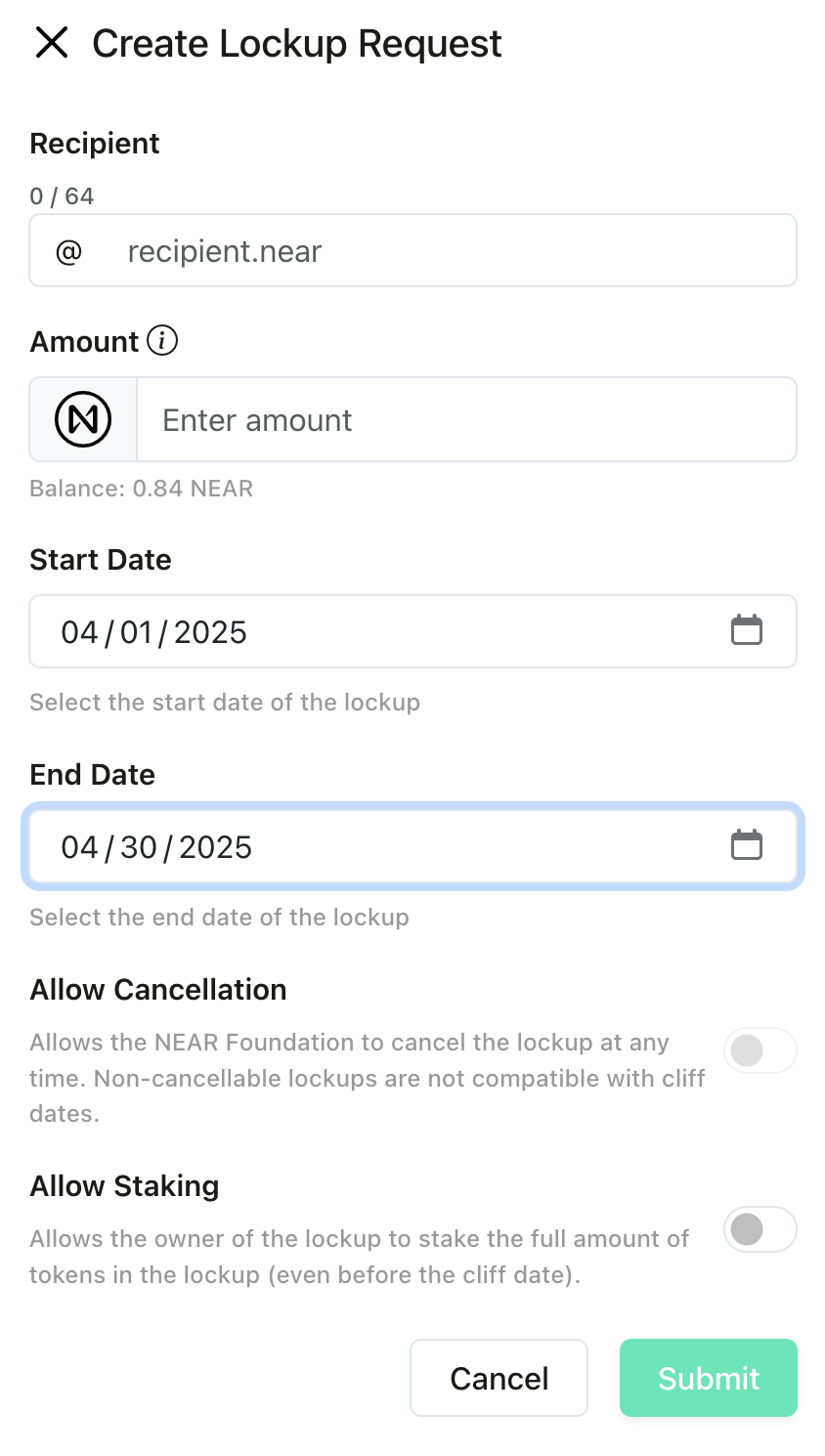
To create a new lockup using your treasury's tokens:
- Navigate to the
Lockupsection. - Click the
Create Requestbutton. - Select the recipient for your lockup tokens.
- Choose the amount to lockup and select start and end dates.
- Submit the lockup request for approval.
Approving or Rejecting Lockup Requests
Lockup actions require approval from authorized team members. To review and vote on pending requests:
- Navigate to the
Lockupsection. - View the list of pending requests.
- Review the details of each request.
- Cast your vote to approve or reject the request.

tip
You can sort lockup requests by date by clicking on Created At. (Ascending or descending order)
Exporting Lockup Transactions
To export lockup transaction records to a .csv file:
- Navigate to the
Lockupsection. - Switch to the
Historytab. - Click the
Export as CSVbutton.
