Function Calls
Overview
This section covers how to use Function Calls to interact directly with any smart contract on the NEAR network. This is an advanced feature that allows the DAO to execute any contract method via a multi-sig proposal.

Creating a custom transaction request is a powerful action. Mistakes, such as targeting the wrong contract or using incorrect arguments, can be irreversible. It is designed for users who are comfortable interacting directly with smart contracts. Please proceed with caution.
For security reasons, this feature is disabled by default. To enable it for your Treasury, please contact our support team.
Available actions:
Creating Custom Function Call Requests
To create a request that calls a contract method:
Navigate to the
Function Callssection.Click the
Create Requestbutton.Fill in the fields in the modal:
Contract ID: The target account ID of the smart contract to call, e.g.,
usdt.tether-token.near.Method Name: The name of the method to invoke, e.g.,
ft_transfer.Arguments (JSON): Valid JSON object with the method parameters. For example:
{ "receiver_id": "alice.near", "amount": "1000000000000000000000000" }The modal validates JSON. Ensure numbers that represent token amounts are strings when required by the contract interface.
Gas (Tgas): The gas limit for the call, specified in Tgas (1 Tgas = 10^12 gas units). Range: 0–300 Tgas. Typical values are 30–100 Tgas depending on the method complexity.
Deposit (NEAR): Optional NEAR to attach to the call when the method requires funds, e.g., storage or token transfers.
Notes (optional): Additional context for reviewers.
You can add multiple actions to the same proposal by clicking Add another action. All actions will execute in the listed order when the proposal is approved.
- Submit the request for approval.
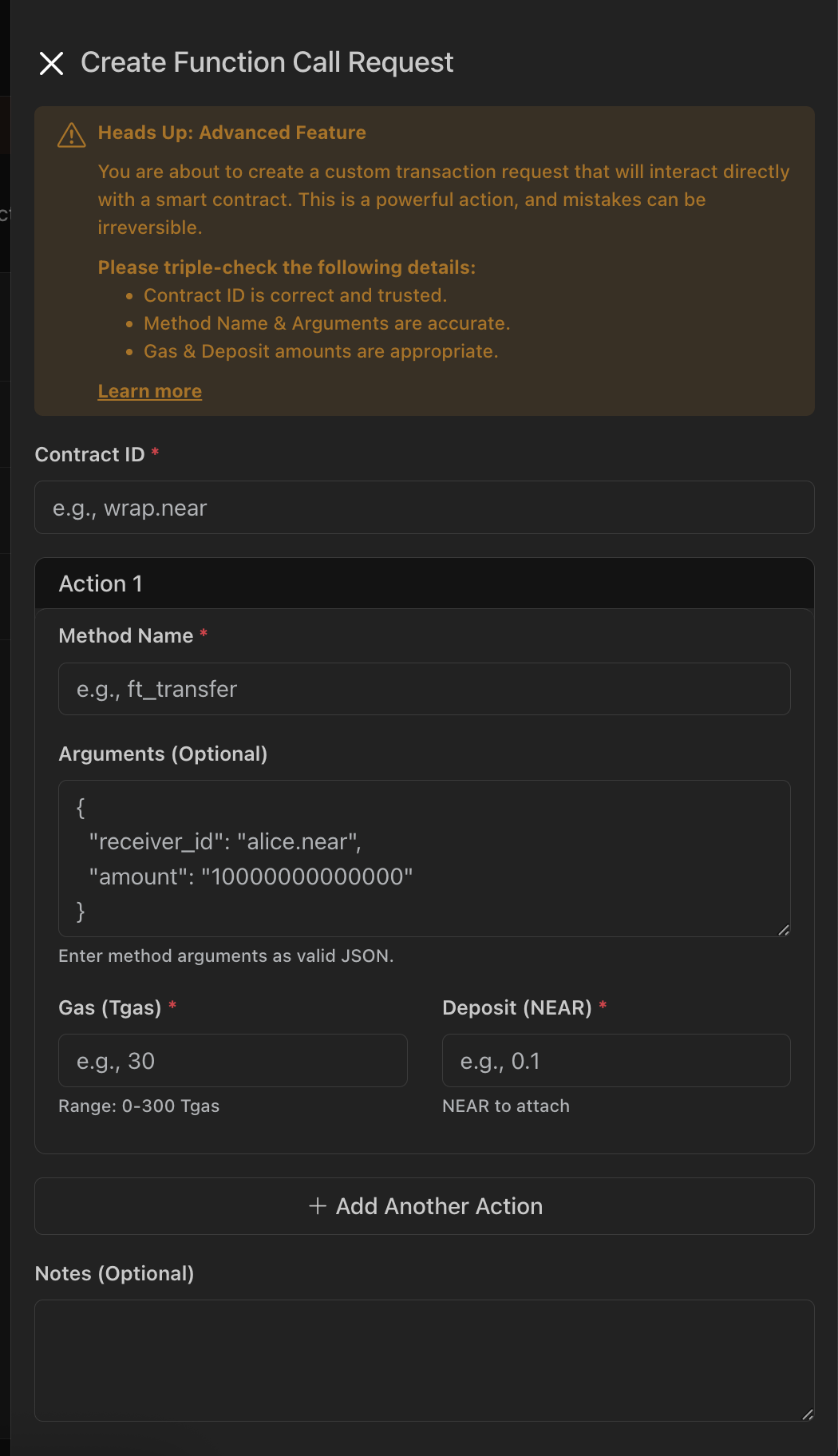
Before submitting, double‑check the contract interface and argument schema. Incorrect method names or argument shapes will cause the transaction to fail at execution time.
Approving or Rejecting Requests
Custom function call requests require approval from authorized members according to your treasury thresholds. To review and vote on pending requests:
- Navigate to the
Function Callssection. - In the
Pending Requeststab, locate the request and clickReview Requestto review the payload (contract, method, args, gas, deposit). - Cast your vote to Approve or Reject.
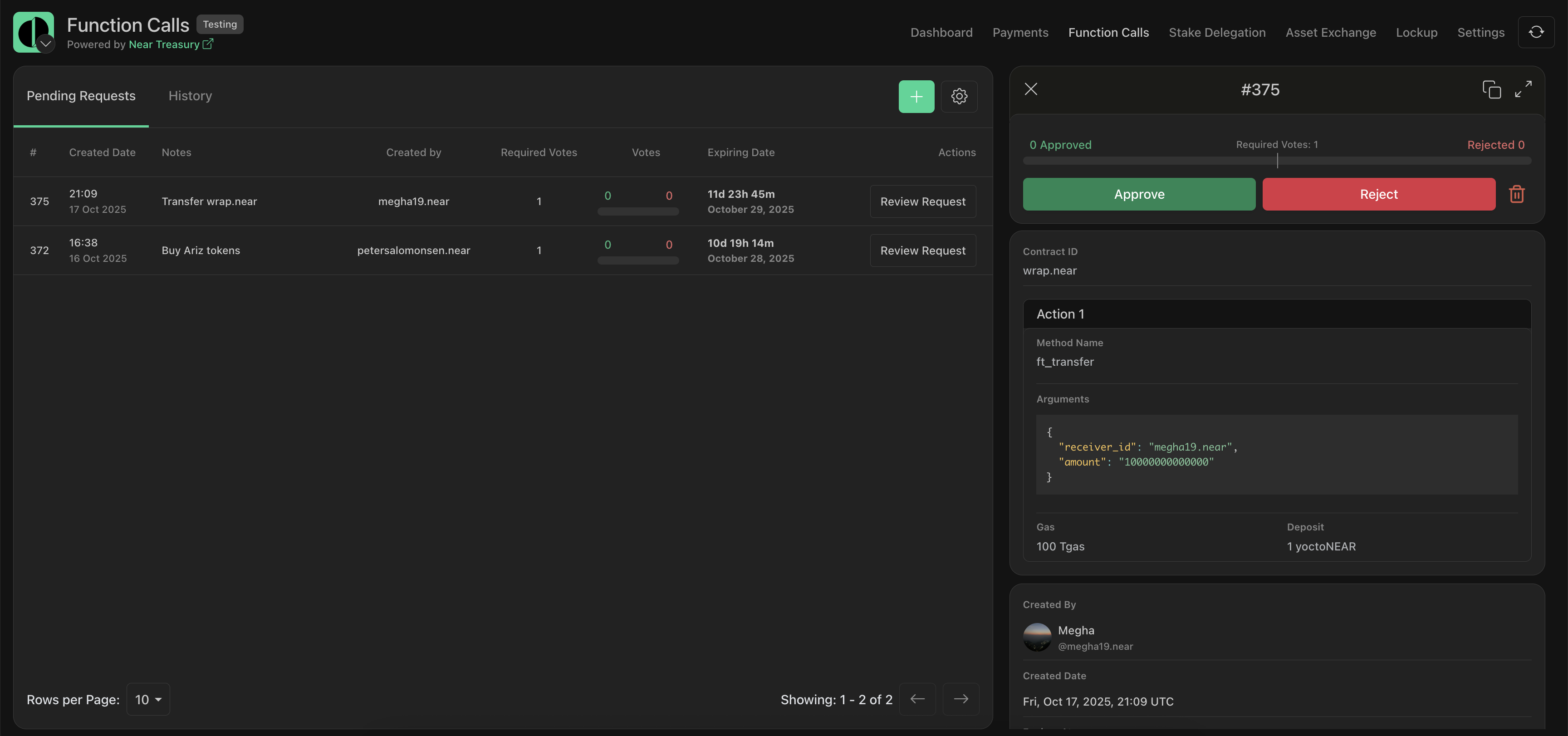
Expired requests can no longer be approved. If the underlying contract method or parameters change, create a new request with the updated values.
Exporting Request History
To export custom function call history to a .csv file:
- Navigate to the
Function Callssection. - Switch to the
Historytab. - Click
Export as CSV.
